TAG | apps

Aug 17, 2012

The Bluebook Goes Mobile (plus Five Free Downloads)

In 1926, the editor of the Harvard Law Review, Erwin Griswold, produced a pamphlet covering proper forms of legal citation. Originally published with a brown cover, the cover was changed to blue for the sixth edition in 1939 as a patriotic gesture to get away from a color associated with Nazi Germany. Now in its [...]

Bookmark and Share

Jul 17, 2012

Hands On with the WestlawNext Android App

Earlier this month, Thomson Reuters debuted the WestlawNext Android App, providing mobile access to WestlawNext from both Android tablets and smartphones. I was given a limited-time log-in to WestlawNext to try out the app. I tested it on an Android tablet and here is what I found.

Overall, I like it. I have two complaints, which I’ll get to later. But the app delivers what it promises — on-the-go access to the core features of WestlawNext. (I reviewed WestlawNext in greater detail in January 2010.) Using the app, you can:

  • Search all core content using WestSearch.
  • Run simple descriptive searches or more complex searches using Boolean terms and connectors.
  • Use KeyCite to check the status of a case or law.
  • Access your saved documents folders.
  • Read and email documents.
  • Add notes to documents.
  • View your recent searches and documents.

The app synchronizes with your WestlawNext account, so that any research you perform on your mobile device is accessible from your primary account. You can start a research project on one device and continue it on another.

From the app’s homepage, you can start a search, browse WestlawNext content, KeyCite a document, access your folders and access recently viewed documents and recent searches.

When you conduct a search, the results include icons to tell you whether you’ve previously viewed a document, saved it in a folder, or annotated it with notes.

From a design standpoint, the app has elements that make it easy to navigate. At the top of every page is an arrow you can tap to jump to the bottom of a page. The bottom of every page has a similar arrow to take you back to the top. This is useful when you don’t want to scroll through pages with long documents. From any page, you can tap the WestlawNext logo in the header bar to return to the home page.

Most pages also have “skip to” and “tools” drop-down menus. The tools drop-down gives you quick access to options for emailing a document, saving it to your research folder, or adding a note to it. The skip to drop-down lets you jump to various sections within a document; for example, within a case, you can use this to jump from the synopsis to the headnotes to the attorneys to the opinion.

Up to now, I like everything about this app. I have two complaints, both fairly minor.

The first complaint has to do with saving documents to your research folders. The app only lets you save to your primary research folder. You do not get to choose the folder. This is oddly frustrating, because it lets you create additional folders, but not save to them. Even more frustrating is that the literature for the app says that you can “access and add documents to your folders.”

The second complaint is that the app provides no options for changing your display settings. You cannot adjust the font sizes or typeface. You cannot change the background color. On most documents, this was not a major problem, but on some, I found myself straining to read the small fonts. The ability to adjust font sizes would be a welcome enhancement.

Overall, I found the app to be easy to use and well designed. The app is free, but, needless to say, you need a WestlawNext account to use it. If you are a subscriber to WestlawNext and an Android user, you will want to get this app.

If you’re interested, you can download it from Google Play.

Bookmark and Share

Jul 16, 2012

Merriam-Webster’s Law Dictionary Goes Mobile

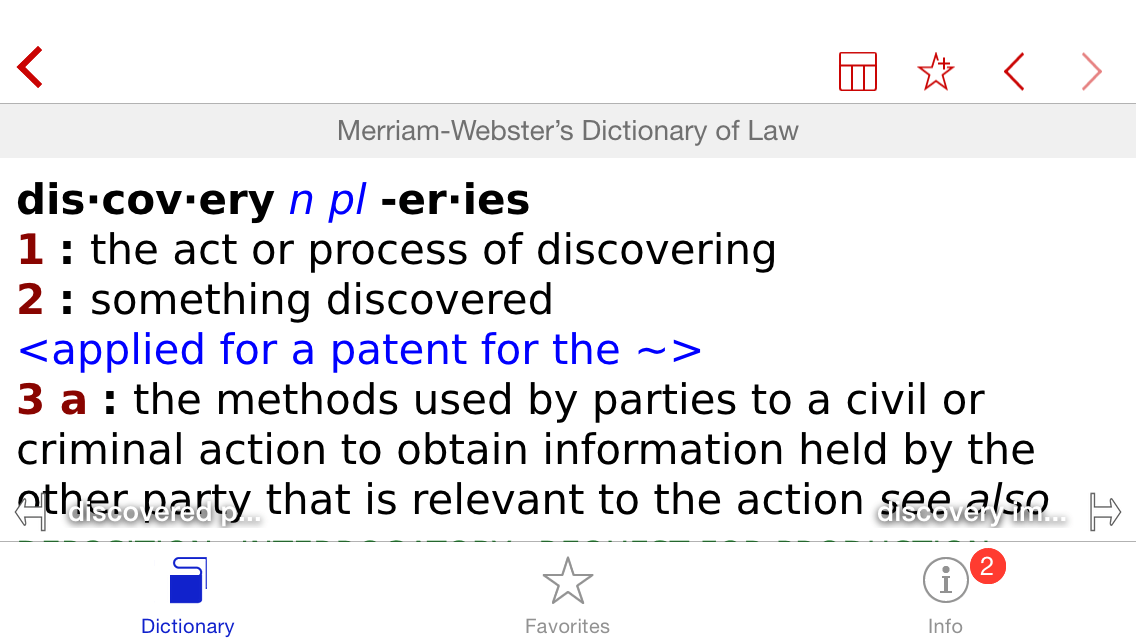
The dictionary on an iPhone.

Mobile versions of Merriam-Webster’s Dictionary of Law were released this week, compatible with either iOS or Android devices. Both include more than 10,000 legal words and phrases, along with information on cases, laws and the legal system. The iOS version can be used with either an iPhone or an iPad.

The apps were developed by Paragon Software Group for Merriam-Webster. Paragon is also developer of the PenReader handwriting recognition software for Android devices, and the Android app comes with a built-in version of PenReader that lets you search for terms by writing them on your screen with your finger or a stylus.

In both versions, you can scroll through a list of words or search for a specific word. Both allow the option of using wildcard search if you are unsure of the word’s spelling. Both also have the option of searching for similar words. As noted above, only the Android version allows you to enter a search using the PenReader feature. The Android version also lets you enter a search by voice or take a picture of text and search using Google Goggles.

Both versions include definitions that are fully hyperlinked. In fact, you can put your finger on any word within a definition and it will jump to the definition of that word or, if it does not have it, a list of suggested words. Both versions also include a search history of your last 100 entries, which you can clear at any time.

In addition to the differences in search described above, the Android version has a couple of other features that the iPhone version does not. For one, it includes audio pronunciations of most (but not all) words. For another, it allows you to change the background color and font sizes.

Neither app requires an Internet connection in order to use it. Once you’ve downloaded the dictionary, you can use it whether or not you are online.

Both apps also come loaded with brief descriptions of historically important cases and important laws, as well as a guide to the judicial system. These may be of interest to non-lawyers but are of no practical use to legal professionals.

I tested both the iOS version on an iPhone and the Android version on a tablet. Overall, both versions are largely comparable, except for the differences I’ve already noted. I noticed that the iPhone version had a larger dictionary. I’m not sure why, but I believe it is because I also have the general Merriam-Webster dictionary installed on my iPhone, and it may be drawing from that dictionary in addition to the legal one.

I have not compared the definitions or the word list to other legal dictionaries available for mobile devices. I read reviews on Amazon of the Kindle version of this dictionary, and the reviews compared it favorably to other legal dictionaries such as Black’s Law Dictionary.

Merriam-Webster’s Dictionary of Law is available from iTunes for $24.99 and from Google Play for $24.95. That is about half the price of the Black’s Law Dictionary app, which is $54.99 for the iPhone.

Tip: The Kindle version of this same dictionary sells for $9.99. That means that if you have the free Kindle app on your device, you can get the same dictionary for less money, albeit with a different set of features.

Bookmark and Share

Jul 12, 2012

If You Do ADR, There is Now an App for That

AAA appIf you are involved in arbitrations or mediations under the auspices of the American Arbitration Association, whether as an advocate or a neutral, you will want to get the AAA’s new mobile app.

Available free for iPhones, iPads and Android devices, it allows easy access to all AAA rules, codes and protocols. It also provides quick access to contact information for AAA offices throughout the United States and regional locations throughout the world.

The app includes arbitration and mediation rules covering labor and employment, commercial, construction, real estate and environmental, government and consumer, and international cases. It also includes AAA due process protocols for a variety of disciplines. International dispute resolution rules are provided in multiple languages.

Download the app from the iTunes store or Google Play.

Bookmark and Share

Jun 4, 2012

Fastcase Releases Android Version of its Free Research App

Back in January 2010, this blog had an exclusive first look as Fastcase was about to launch its app to let iPhone users research cases and statutes for free, directly on their devices. Later, Fastcase came out with a version for the iPad. The app proved popular and even won the American Association of Law Libraries award as 2010 New Product of the Year.

Meanwhile, Android users were left waiting in the wings, with no compatible version of the app available for their devices. Tomorrow that changes, as Fastcase will release an Android version of its legal research app. Like its iPhone counterpart, the Android version will be free to download and free to use.

When I say free, I mean free. No paid subscription of any kind is required to use this app. Registration is required, but there is no cost to register. Once you’ve installed the app and registered, you can research cases and statutes. Case law coverage spans all 50 states and the federal courts. Statutes for all 50 states are included, and can be searched or browsed.

I tested a pre-release version on an Android tablet. It has all the features of the iPhone version. Notably, you can search cases using both keyword and natural-language searches as well as by citation. You can define the jurisdictions and date ranges to search. Results can be sorted by relevance, decision date, name or by frequency of citation. Results include Fastcase’s Authority Check feature, telling you how often each case has been cited. Citations within cases are hyperlinked.

If you are a full subscriber to Fastcase through a bar association member benefit, you can connect your mobile and desktop accounts and keep them synchronized through Fastcase’s Mobile Sync feature. The feature synchronizes your favorites and usage history, and lets you save cases on your mobile device and then read and print them later on your desktop.

Settings within the app let you customize various elements, such as the font size at which documents are displayed and the way results or displayed. It also lets you set limits on storage within your mobile device, to conserve space.

Fastcase CEO Ed Walters says that this will be the first legal research app for the Android platform. Although there are mobile-optimized sites, there are no native apps for legal research on Android.

In my opinion, every attorney should have this app on his or her mobile device. You never know when you might need to check a case or find a statute. With this app, it is quick and easy to do legal research on the road. And at a cost of zero, you can’t beat the price.

Bookmark and Share

Apr 23, 2012

Build Your Own Law Firm App With ‘Barrister App’

In January, I wrote here about MyPocketAttorney, a website that lets lawyers build their own smartphone apps using templates designed for law offices and legal professionals. Now there is another company offering something similar through its website, but this new entry, called Barrister App, is different in several ways — some good, some not.

On the plus side, Barrister App was created specifically for the legal profession. By contrast, MyPocketAttorney came from a company that did the same thing for any number of professions (MyPocketInsurance, MyPocketRealtor, MyPocketChurch and MyPocketFuneral, to name some). Further, Barrister App comes with a simple content management system (CMS) on the back end that lets you add content about your firm and its attorneys, customize the look of the app, manage your information, and even send notifications to your clients.

Even so, there are limits to what you can do. Your design is confined to the template of the app. You can change its color, but only from a choice of six colors. You can add your own logo and your own firm’s information, but every law firm that uses Barrister App will end up with an app that is built on the same basic design.

But for me, the most puzzling aspect of Barrister App is that, before anyone can use it, they must contact you outside the app and request a login and password. This befuddles me, because Barrister App advertises itself as a tool for helping law firms “connect with would-be clients.” Unfortunately, it just doesn’t work that way.

If someone interested in your firm went to the iTunes, Android or Blackberry store looking for your app, their search would be fruitless. The app appears in the store only under the name Barrister App, not under your firm name (as it would if you developed your own app). The potentially interested user would have to know to download the app and then to contact you for a password. Only after you give the user credentials can he or she log in.

This might make sense as a client-communications tool. In fact, the Barrister App seems to have been designed with communications with current clients in mind. Its CMS dashboard prompts you to enter client names and contact information so that you can give them passwords. It includes a push-notification feature that lets you send notices to individual clients or to everyone whose name youve added in the dashboard.

But as a marketing tool, it makes no sense. If someone is merely interested in learning more about your firm, he or she is highly unlikely to call you and request permission to use your app. To the extent Barrister App calls itself a tool for reaching “would-be” clients, it is a shallow promise.

How It Works

When you purchase the Barrister App for your firm, you get access to a back-end CMS that walks you through the set up. Set up is easy and straightforward.

Your app will include these components:

  • Who We Are. This is where the app lists your attorneys, their contact information and their practice areas.
  • Where We Are. This shows your office or offices on Google Maps.
  • What We Do. The list of your practice areas.
  • Notifications. As noted above, you can sent notifications to clients — anything from appointment reminders to firm news.
  • My Notes. Users can make and store notes here.
  • My Profile. The client inputs information here.

You set this all up in the CMS, where you start with a tab labeled “My Firm Profile.” There, you enter basic information about the firm, add a description, and upload a logo. You then go the “Address” tab and enter the addresses for each of your firm’s offices. This provides the information for Google Maps to show your location.

The next step is to create “Categories,” which are your firm’s practice areas. From there, you add each of your attorneys. As you do, you associate the attorney with the appropriate practice areas. You can include an attorney bio and photo.

As I noted, there is also a tab for adding clients. This allows you to set them up with a password.

The last tab is for sending notifications. Simply select who to direct it to, fill out the information, schedule it, and you’re done.

What it Costs

The cost of this is based on the size of your firm:

  • 1-9 lawyers: $395.
  • 10-25 lawyers: $995.
  • 26-99 lawyers: $1,995.
  • 100+ lawyers: $2,995.

In addition, you must pay an annual support and maintenance fee equal to 20% of the purchase price.

The Bottom Line

Given the constrictions I described above — that you can’t market this app under your own firm’s name and that potential users must contact you for a password — this app is of little use for marketing to new  or “would-be” clients. Of course, marketing also involves engaging with current and former clients. As a way of keeping in touch with existing clients and of giving them ready access to your attorneys, this could be useful.

Bookmark and Share

Mar 21, 2012

Going to Techshow? There’s an App for That

If you are attending ABA Techshow in Chicago next week, be sure to download the Techshow app for your mobile phone. It is available for iPhone, Android and BlackBerry.

The app includes a number of features. Among them:

  • The Techshow schedule. View the full schedule or see events by day, topic or speaker. It even includes a “Happening Now” feature for those of us who never plan ahead.
  • A Techshow scheduler. As you review the schedule and find programs you want to attend, bookmark them and they are added to your personal schedule.
  • The list of exhibitors, with their booth numbers and contact information.
  • The all-important guide to Techshow social events.
  • The #abatechshow Twitter feed and the ability to Tweet directly from the app (with the hashtag automatically entered!).

If you preregistered to attend Techshow, you will have received a code to enter in the app. The code gives you full access to the app’s features. Without it, some features are limited.

Bookmark and Share

Feb 24, 2012

Fastcase Mobile App Now Syncs with Desktop

I’ve written several times about the Fastcase app for the iPhone and iPad, both of which let you research cases and statutes for free directly from your mobile device. This week, Fastcase rolled out Mobile Sync, a feature that synchronizes the mobile app with the desktop version of Fastcase.

What that means is that your search history, your saved documents and your favorite jurisdictions are always synchronized and available to you, whether you are working on your mobile device or your desktop. By way of example, you may perform research on your desktop and find cases you want to use in court. Simply save them to your favorites and they are instantly available through the mobile app. Or maybe you’re on the commuter rail heading to work and use the mobile app to find a document you want to print. Save it and when you get to your office, print it out.

There is no charge for Mobile Sync and the mobile app remains free to use. Desktop accounts require a subscription, either through a bar association member benefit, an individual subscription, a law school subscription or an enterprise subscription. Mobile Sync is also included in free trial subscriptions.

The Fastcase blog has instructions on how to sync your desktop and mobile accounts.

Bookmark and Share

Jan 20, 2012

Site Lets Lawyers Build Their Own Mobile Apps

A sample shown on the site

I happened across a website called MyPocketAttorney that says it will let lawyers build their own smartphone apps using templates designed for law offices and legal professionals. As of this morning, a notice on the site says, “Site Under Construction! Launch Date 1-20-2012.” Today being Jan. 20, we’ll see if it launches.

The site describes its service this way:

You can start building your app online using our custom templates. Your clients will appreciate the service as it allows them to contact you faster to access your latest promotions and services. In addition, you can make money between court cases and trips with the consulting fee pay option. You’ll also be able to retain your clients like never before with your app on their phone, respond quicker with a text, provide a monthly news letter and much more. Thus, making your business more efficient and with more clients.

Apps created through the site would let users call your office with one-touch dialing, get GPS directions to your office, and schedule appointments.

However, it seems that the developers of this site are not familiar with the rules of professional conduct that govern attorneys. They tout a feature of the app that would enable lawyers to pay users referral fees when users share the app with others. Here’s how the site describes this referral option:

“I saw a friend of mine using the app one day and got excited about having an attorney in my pocket. She referred me, received a $25 gift card for doing so, and I received a great service.” If you are an Attorney wanting to get your own mobile app for practice at a low-cost and hear your clients have a conversation like this one, sign up for a free account today.

Apart from the creepiness of the “attorney in my pocket” metaphor, this referral program strikes me as blatantly unethical for lawyers. As Roy Ginsburg wrote about referral fees just this week at AttorneyAt Work:

Most attorneys know they cannot share fees with non-lawyers. The ABA Model Rules of Professional Conduct, adopted by most states, are quite clear. Rule 5.4 (a) states that “a lawyer or law firm shall not share legal fees with a non-lawyer.” Rule 7.2 (b) states that “a lawyer shall not give anything of value to a person for recommending the lawyer’s services.” A referral fee is certainly something of value.

In fairness, MyPocketAttorney describes the referral program as optional, but it nevertheless suggests a lack of familiarity with the legal market. No wonder, given that the company already has “MyPocket” app-creation sites for some two-dozen other industries and topics, from MyPocketInsurance and MyPocketRealtor to MyPocketChurch and MyPocketFuneral.

The cost of one of these apps starts at $999 for the first year, after which you pay a monthly fee, according to information posted on the site.

Bookmark and Share

Jan 19, 2012

Read the Congressional Record on Your iPad

The Library of Congress unveiled a new app yesterday designed to let you read the Congressional Record on an iPad. Called simply The Congressional Record, the purpose of the new app, as In Custodia Legis reports, “is straightforward — easily read the daily edition of the Congressional Record on your iPad (and maybe save a few trees in the process).”

According to the description, the app lets you:

  • Browse editions of the Congressional Record by date, from Jan. 4, 1995, to the present.
  • Perform keyword searches within individual documents or sections within documents.
  • Share documents via email.
  • Save documents to your preferred iPad PDF reader.
  • Identify the latest bills and resolutions considered daily on the floor of the U.S. House.
  • Identify the latest bills, resolutions, treaties and nominations considered daily on the floor of the U.S. Senate.

Read more about the app here.

Bookmark and Share